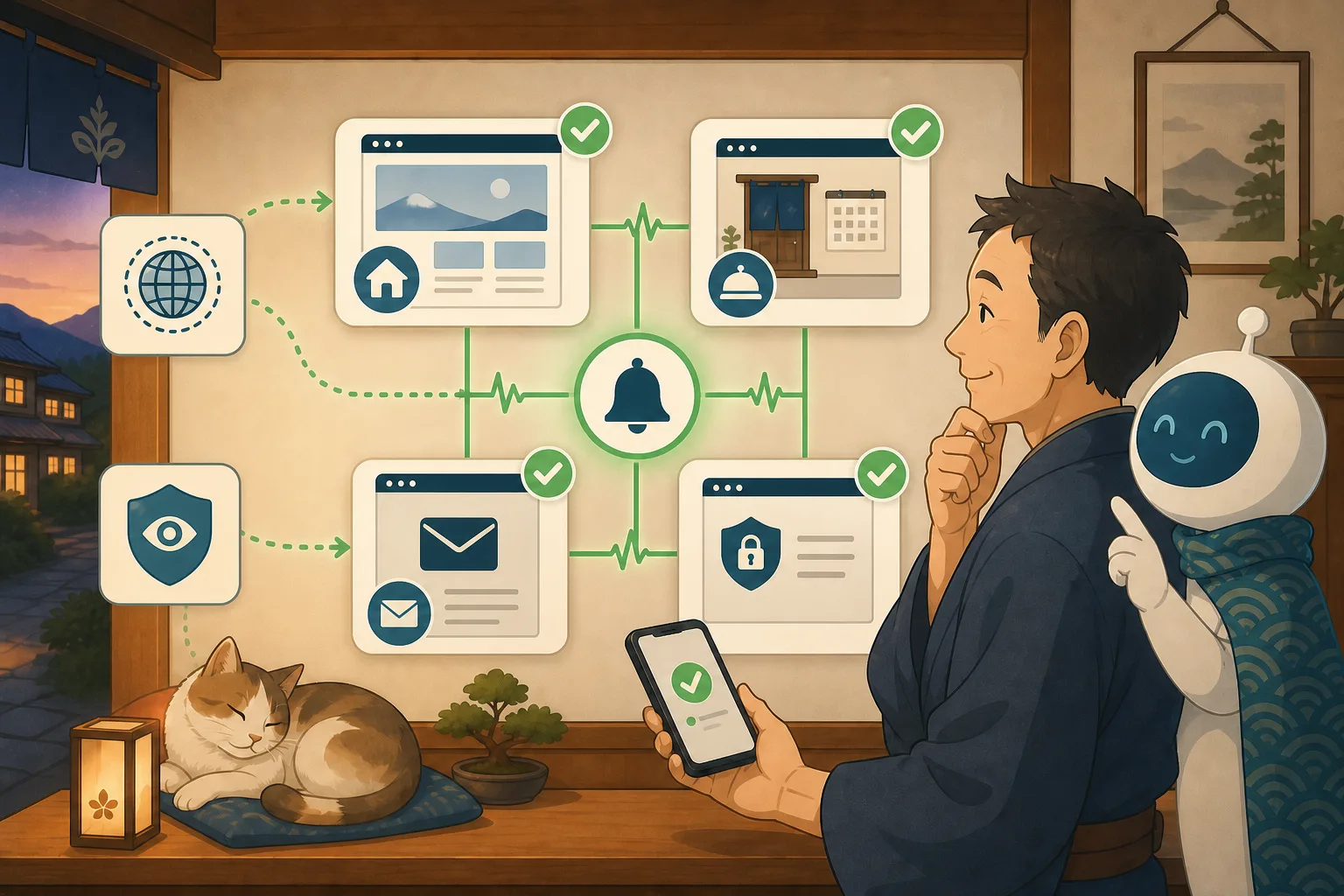
I learned for the first time from a customer’s phone call that the inn’s official website was down. The link to the reservation page remained broken for several days. A warning appeared in the browser due to a problem with the SSL certificate. These issues may not be noticed if you only look at the management screen once a month.
What comes in handy is external monitoring, which involves regularly accessing the public page from outside the inn and confirming that a normal response is returned. AI can assist with organizing the monitoring targets, proposing settings, classifying notifications, and preparing monthly reports.
In this article, the host, who is not familiar with IT, will explain to beginners what and how much to monitor.
- Conclusion: Check only four things from the outside at first
- What is external monitoring?
- Understanding HTTP status for beginners
- Returning 200 does not necessarily mean it is normal.
- For reservations, separate “page display” and “reservation establishment”
- You can monitor the inquiry form without submitting it.
- Monitoring with SSL/HTTPS
- Differences with WordPress site health
- Decide the first monitoring target
- Decide notification destination and notification frequency
- Tasks that can be left to AI
- Request text to AI that can be used with copy and paste
- Comparison items for selecting monitoring services
- Reduce false notifications
- What should not be monitored
- Checklist for the host
- Information used for reference
- Summary
Conclusion: Check only four things from the outside at first
There is no need to monitor all pages or the inside of the server from the beginning. We’ll start with four that are close to inn business.
- Top page opens
- Reservation information or reservation page will open.
- The inquiry page will open.
- Secure connection via HTTPS
Monitoring is a “mechanism to notify abnormalities” and is not an automatic repair. The design is such that the AI will not automatically restart, delete cache, stop plugins, or restore even if an error notification is received.
What is external monitoring?
Appearance monitoring is a method of accessing a URL from the Internet side, just like a customer, and periodically checking whether the page responds.
External monitoring location
↓ Access regularly
Public page of the inn
↓ Response time/status/contents
Record if normal / notify if abnormal
The role is different from monitoring the internal CPU and capacity of the server. Even if the internals are normal, if there is a problem with DNS, HTTPS, the web server, or WordPress, customers may not be able to open the page. On the other hand, just by monitoring the external appearance, you cannot detect insufficient capacity or backup failures.
Understanding HTTP status for beginners
When a browser accesses a page, the server returns a status number.
| Range | General meaning | Examples |
|---|---|---|
| Number 200 | Success | The page was successfully retrieved |
| 300s | Move to another URL | HTTP to HTTPS, old URL to new URL |
| 400s | Problem with the requested page | 404, page not found |
| 500 series | Server-side problems | 500, 502, 503, etc. |
Many public pages monitor a state that eventually reaches 200 OK.However, intended redirects are normal, such as when a reservation button correctly navigates to an external service. Let AI investigate the current destination and confirm that the person is making the correct reservation.
Returning 200 does not necessarily mean it is normal.
WordPress may return an error screen or maintenance information with 200.Therefore, we check not only the response number but also the “desired content” on the page.
Top page
- The inn name will be displayed.
- There is a link to reservation information
- No error text or maintenance screen
Reservation information
- There is a reservation button
- Proceed to the intended reservation service
- No unexpected displays such as “Reception stopped”
Inquiry
- A form or contact method will be displayed.
- The input field does not fall off the screen.
Saving and comparing the entire text may record prices, personal information, and even dynamic availability information. Use only short, fixed sentences and elements on public pages for monitoring, and don’t store more content than necessary.
For reservations, separate “page display” and “reservation establishment”
Do not make existing reservations over and over again with automatic monitoring. The reservation line is divided into stages.
| Stages | Examples of automatic monitoring | What people check |
|---|---|---|
| Entrance | Reservation information page opens | Prices and notes are correct |
| Link | Is the reservation button moving to the correct destination | Is it a reservation service that you have a contract with? |
| Reservation screen | External reservation screen is displayed | Target plan and date are correct |
| Input/confirm | In principle, do not run automatically | Check with the reservation company about the test method |
Prevent monitoring tools from consuming reservation slots or sending too many notification emails. Operations including payment use test environments and official confirmation methods provided by the service being used.
You can monitor the inquiry form without submitting it.
Daily monitoring allows you to see the page open, including the main fields of the form and the submit button. However, that alone does not guarantee that you will receive the email.
Confirmation of form submission is carried out by a person who determines the specific test content and destination for monthly inspections and post-update confirmations. If you want to send automatically, design the following first.
- Subject line that shows it is a test
- Contents that cannot be mixed with actual reservations
- Input that does not include personal information
- Sending frequency limit
- Person in charge of confirming receipt
- Impact on automatic replies and external collaboration
If you repeatedly send to the form in a short period of time, it may be detected by spam filters.
Monitoring with SSL/HTTPS
HTTPS is a mechanism that encrypts communication between the inn and the guest and confirms the connection destination. If there is a problem with your certificate, your browser will display a warning and you may be kicked out before you book.
The items to check are:
- Can connect via HTTPS
- Certificate is expired
- Valid for the inn name domain
- There is no problem with the certificate chain.
- Move from HTTP to HTTPS as intended
- You will receive a renewal confirmation notice before the deadline
Even if automatic updates are set, updates may fail for reasons such as DNS, authentication, capacity, or web server settings. Don’t make it “automatic so no confirmation is required”.
Differences with WordPress site health
“Tools → Site Health” on the WordPress admin screen is a function to check for problems with WordPress, themes, plugins, PHP, HTTPS, background updates, etc.
| How to check | What we are good at | What we are not good at |
|---|---|---|
| Appearance monitoring | Does the page open from the customer side? | Detailed internal configuration of WordPress |
| Site health | WordPress internal recommendations and configuration | Cannot be checked if the entire site is stopped |
| Server monitoring | CPU, memory, capacity, processes | Correctness of reservation contents and appearance |
| Checking people | Prices, reservations, ease of use | Difficult to repeat constantly |
Rather than replacing everything with one thing, we combine the roles. Because site health information includes technical configuration and internal information, it will not be made publicly available or posted in public conversations with AI.
Decide the first monitoring target
The host can just create the following table.
| Priority | Target | Normal conditions | Contact information in case of abnormality |
|---|---|---|---|
| 1 | Top | 200 inn names | Site person |
| 1 | Reservation information | 200・Reservation button available | Reservation person |
| 1 | HTTPS | Certificate is valid | Server contact |
| 2 | Inquiry | 200 form available | Site person |
| 2 | Access | 200・Map information available | Site person |
Do not include the management screen URL, preview URL, reservation management URL, or customer page as monitoring targets. Use only public pages to avoid inadvertently passing credentials to monitoring services.
Decide notification destination and notification frequency
Too many notifications will prevent you from reading important anomalies.
- Should an emergency notification be sent after just one failure?
- Do you want to be notified when failure occurs several times in a row?
- Do you want to be notified when the system is restored?
- Who should I contact at night?
- Should you contact the server company or the production company?
- Summary of the same disorder?
While we would like to know as soon as possible if the reservation page will be completely stopped, there is a way to notify us after reconfirming the temporary communication delay. Divide priorities according to impact on sales.
Tasks that can be left to AI
Codex and Claude Code can help with:
- Identify monitoring candidates from public pages
- Prioritize in order of closest reservation
- Records normal HTTP status and redirects
- Suggest confirmation conditions for fixed sentences and elements
- Organize check items for SSL certificate
- Summary of monitoring notifications by duplicate/urgency level
- Create a contact list for the disability response card
- Summarize monthly success rates and failure times
- Pass monitoring records to review after failure
AI does not automatically change the production process just by receiving a notification. First, we confirm the facts using multiple locations, different lines, and failure information from the server company.
Request text to AI that can be used with copy and paste
Decide what to monitor
On the inn's public website, please select a URL that you will periodically check from outside.
Top, guest room/rate, reservation information, inquiries, access as candidates,
Prioritize by sales impact and monitoring frequency.

Target only public pages, admin screen, customer page, preview,
Please exclude the reservation management screen and URLs that require authentication.
Please do not subscribe to the monitoring service or change settings yet.
Create normal conditions
Please create normal conditions for appearance monitoring for the following public URLs.
[URL list]

HTTP status, intended redirect, fixed statement or element,
HTTPS certificate, separate response time.
Don't use fixed conditions such as price, availability, personal information, or dynamic dates and times.
Please do not make reservations or submit forms, just check the entrance and link.
Pass the abnormality notification to the investigation
The following abnormality notification was received from site monitoring. Don't fix it yet.
[Target URL, time, HTTP status, duration]

Temporary communication issue, entire site, WordPress, reservation service, HTTPS
Please create a read-only order for where to check.
Do not restart, update, stop, restore, or delete cache.
Please separate confirmed facts, candidate causes, and unconfirmed matters.
Create monthly report
Please summarize one month's worth of external monitoring results for the host.
Organize the normal period, abnormal date and time, target URL, duration, false notifications, and response results,
Please suggest monitoring conditions to be reviewed next month.
Do not include visitor information, IP addresses, internal configurations, or authentication information.
Comparison items for selecting monitoring services
Don’t just decide based on a specific service name or price, compare the following:
- HTTP/HTTPS URL monitoring
- Check characters/elements
- SSL deadline notification
- Monitoring interval
- Confirmation from multiple points
- Notification methods by email, phone, chat, etc.
- Addition of person in charge and handover at retirement
- History retention period
- Japanese management screen/support
- Data stored and region of use
- Contract name and payment management
It will be managed using the contact information in the name of the inn, which can be transferred, rather than the inn’s personal account. Even if you are trying out the free plan, check the official guidance to see if the number of monitoring, interval, notification method, and history period suit the purpose of the inn.
Reduce false notifications
There are some causes that are considered abnormal even though they are normal.
- Temporary network delay
- Point difference using cache or CDN
- Countermeasures against spam sent to monitoring source access
- Dynamic inventory/date/slide
- Maintenance scheduled
- Change redirect destination
Even if a false notification occurs, monitoring will not be stopped immediately, but the conditions will be narrowed down. Check fixed headings rather than dates or number of rooms available, and make adjustments such as checking again after a failure.
What should not be monitored
- Automatic login to WordPress admin screen
- Customer/reservation management page
- Automatic operation until payment completion
- Inquiry results including personal information
- Settings to pass basic authentication and administrator password to external parties
- High frequency of form submissions
- Automatic restart/recovery in case of abnormality
Even when engineers design synthetic monitoring, they first check for test environments, dedicated accounts, permissions, data deletion, and external service agreements.
Checklist for the host
- [ ] Top/Reservations/Inquiries/HTTPS were selected as candidates.
- [ ] Target only public pages
- [ ] Check not only HTTP status but also fixed elements
- [ ] Reservation confirmation and form submission are not included in daily monitoring.
- [ ] Decided where to notify SSL deadline
- [ ] I also confirmed the domain contract renewal deadline and payment separately.
- [ ] Notify both abnormality and recovery
- [ ] Decided on contact information including at night.
- [ ] AI only investigates and does not automatically repair
- [ ] Review false notifications and oversight once a month
- [ ] You can carry over the contract and notification address under the name of the inn.
Management of domain contracts and certificate renewals can be found in How to prevent domain/SSL expiration for your accommodation site.If you want to check the summary of links inside and outside the site and the final destination, please go to How to check for broken links on an inn site using AI.For information on what to do after receiving a failure notification, see The first 30 minutes after a WordPress failure, for a review, see Recurrence prevention report created with AI, and for automatic screen comparison, see Introduction to Playwright.
Information used for reference
- WordPress official: Site health screen
- WordPress official: Site Health API
- MDN:HTTP Response Status
- WordPress official: Site maintenance
Summary
Monitoring your accommodation site doesn’t have to start with difficult server management. First, we will check the top page, reservations, inquiries, and HTTPS from the outside, and create a system to notify the person in charge in the event of an abnormality.
AI can organize monitoring targets, normal conditions, notification classification, and monthly reporting. The host determines the validity of reservations and prices, notification priority, contact information, and actions that should not be automated. If the display speed is consistently slow, please proceed to How to isolate the cause of slow WordPress with AI.Rather than promising a “site that won’t stop,” it is more realistic to aim for an “accommodation that lets you quickly notice when a stop occurs and allows you to move safely.”