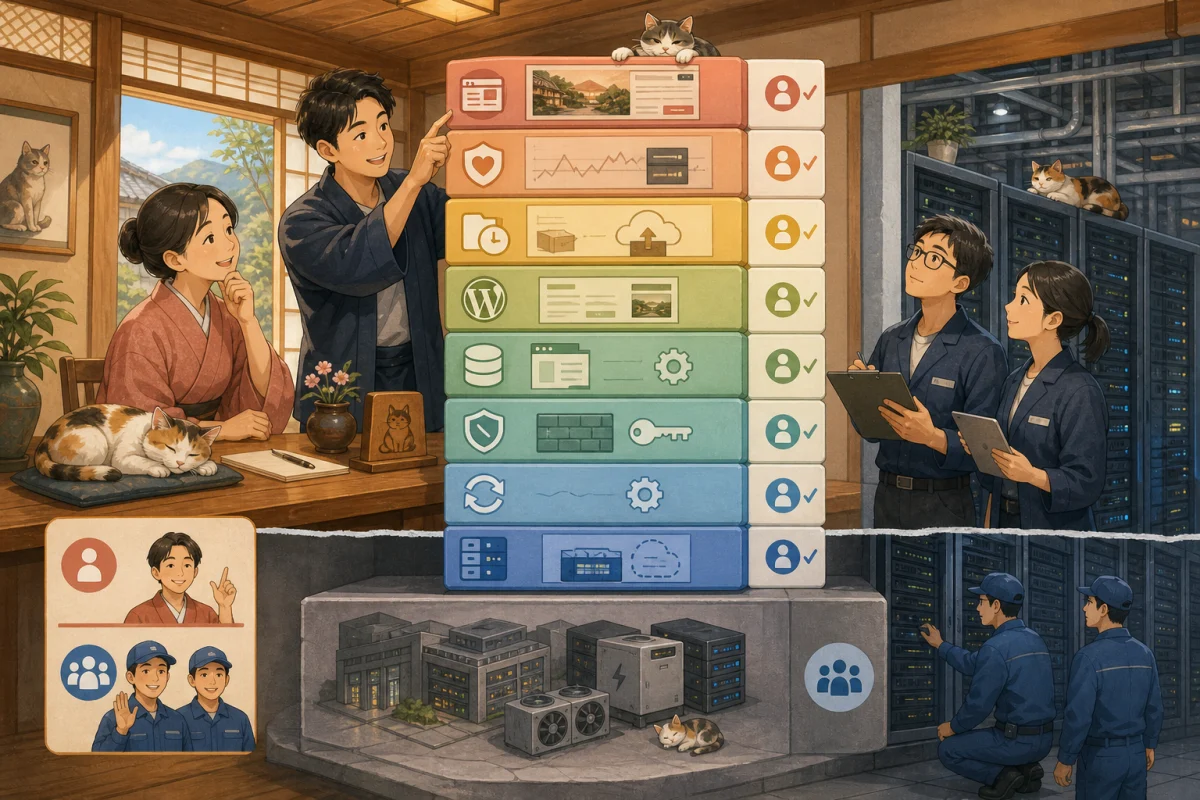
When you run WordPress on a VPS, you will come across the names Docker, nginx, PHP, and MySQL.Although they are all sometimes referred to as “servers,” their roles are different.
The host does not need to remember any commands. However, if you know which parts do what, it will be easier to explain when a failure occurs, such as “the entire site has stopped”, “only images are visible”, or “a database connection error has occurred”.
First, let’s look at the big picture.
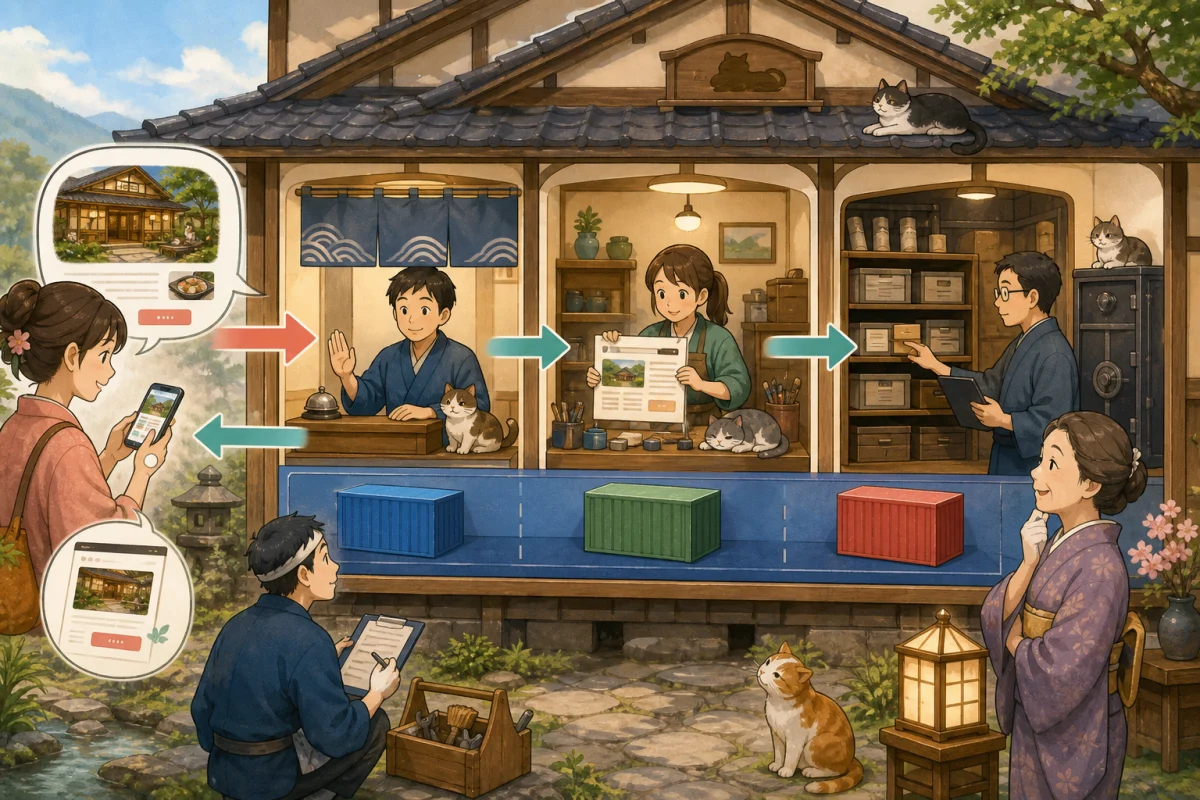
Guest’s browser → nginx → Run WordPress with PHP → Get articles and settings from MySQL → Return HTML to browser
In a configuration that uses Docker, each component is operated separately and managed in summary.
- Comparing it to an inn
- Until the page is displayed
- Role of Docker
- Role of nginx
- Role of PHP
- Role of WordPress
- Role of MySQL
- Container and data storage location
- Updates are separated into layers
- Order of viewing in case of failure
- Minimal monitoring
- Questions to ask the administrator
- Prompt for AI to explain configuration
- Summary
- Reference materials
Comparing it to an inn
| Technology | Inn analogy | Main roles |
|---|---|---|
| Docker | Business divisions and management ledger for each person in charge | Run software reproducibly in an isolated environment |
| nginx | Entrance/Front desk | URL reception, sorting, image distribution, HTTPS |
| PHP | Responsible for assembling guidance | Creating pages by running WordPress programs |
| WordPress | Accommodation information business | Deciding on content using articles, themes, and plugins |
| MySQL | Accommodation book/reference archive | Save and search articles, settings, users, etc. |
Analogies are the gateway to understanding. The actual configuration may use other parts such as Apache, MariaDB, CDN, cache, etc.
Until the page is displayed
When a guest opens the guest room page, the general flow is as follows.
- Browser accesses the domain URL
- DNS indicates the server to connect to
- nginx accepts HTTPS connections
- Return images etc. directly or pass WordPress processing to PHP
- PHP runs WordPress
- WordPress queries MySQL for articles and settings
- PHP assembles HTML
- nginx returns results to browser
- Browser displays page
Multiple parts move behind one screen, so even if WordPress is up to date, it will not be displayed if there is a problem with the OS, PHP, or database.
Role of Docker
Docker official documentation describes a container as a process that runs in isolation on a host. I have a configuration where WordPress, nginx, PHP, and the database are separated into separate containers.
What you can get with Docker
- Software and necessary files can be handled as a unit.
- Easily reduces configuration differences between development, testing, and production
- Easy to start, stop, and update each part
- Record configuration to file for easy reproduction
What Docker doesn’t do automatically
- Updates to the OS and Docker itself
- Safe image selection and update
- Password/confidential information protection
- Database backup
- Disk space and log management
- Fault monitoring
- Reservation confirmation after WordPress update
Even if you delete the container and recreate it, you may lose articles and images if you save the data in the wrong location. Having Docker does not eliminate the need for backups.
Role of nginx
nginx official beginner’s guide explains how to distribute static files, proxies, routing to PHP via FastCGI, etc.
The main tasks in WordPress configuration are:
- Receive HTTP/HTTPS access
- Select target sites by domain
- Returns images, CSS, JavaScript, etc.
- Pass access processed by PHP to PHP-FPM
- Set limits such as size and time
- Encrypt communication using TLS certificate
- Record access error log
Example when there is a problem with nginx
- Unable to connect to entire site
- Errors such as 502 and 504
- HTTPS warning or another site is displayed
- Unable to upload large images
- Only specific URLs become 404
- Repeated redirects
Check the grammar and back up before changing settings, and check all domains after updating.
Role of PHP
PHP Official Manual explains that PHP is a language that is executed on the server side and sends the generated HTML to the browser. WordPress itself and many themes and plugins run on PHP.
Examples where PHP is responsible are as follows.
- WordPress processing according to URL
- Get articles and settings from MySQL
- Generate HTML using themes
- Processing form input
- Execute plugin functions
- Calling the email sending process
Example when there is a problem with PHP
- “Serious error” is displayed
- White screen appears
- 502 error occurs
- Only the management screen does not work
- Only specific plugin functions fail
- Memory shortage or processing time exceeds
If you update PHP, old themes and plugins may not be compatible. Don’t update WordPress and PHP changes at the same time, check them in a test environment first.
Role of WordPress
WordPress is a web application that runs on PHP.
- Manage articles and fixed pages
- Decide the look with the theme
- Add SEO, forms, reservations, and more with plugins
- Manage administrator and editor permissions
- Save content to MySQL
Even when considering just WordPress backups, you need both files and databases. For more information, see Backup and restore before WordPress update.
Role of MySQL
MySQL official documentation describes MySQL as an SQL database server that supports multiple users.
WordPress primarily stores the following:
- Articles, static pages, drafts, revision history
- Users and permissions
- Site URL and various settings
- Comment
- Menus and widgets
- Tables and settings created by the plugin
The actual image is usually saved as a file, and the image title, URL, etc. are also saved in the database. Therefore, inconsistencies occur when the files and databases do not match in time.
Example when there is a problem with MySQL
- “Error establishing database connection”
- Unable to save articles and settings
- Page display is extremely slow
- Unable to write due to insufficient disk
- Repeatedly restarting only the database
Rather than exposing MySQL directly to the Internet, we configure it so that it can be used only from necessary connection sources such as WordPress.
Container and data storage location
One of the most important aspects of Docker configuration is the distinction between containers and persistent data.
- Container: Re-createable execution environment
- Image: Designer who creates containers
- Volume mount: Data to be saved such as article images and DB
- Configuration file for Compose etc.: Which parts are connected and how?
Designs that place data only within the container may lose it when recreated. Allow administrators to explain where current WordPress images, MySQL data, settings, and certificates are stored.
Updates are separated into layers
If you update everything at once, you will not be able to identify the cause.
- Record current configuration and version
- Back up files, DB, and configuration files
- Update one layer in test environment
- Check the log and startup status
- Check the WordPress display and management screen
- Check reservation/form/email
- Update only one layer during production
- Check the same
Summary of major updates for OS, Docker, nginx, PHP, MySQL, and WordPress on the same day.
Order of viewing in case of failure
the host logs symptoms, not commands.
| Symptoms | Candidates for layers to check |
|---|---|
| Unable to connect to entire domain | DNS, VPS, network, nginx |
| Only images are visible, but no text | PHP, WordPress, MySQL |
| 502 error | Connection from nginx to PHP, etc. |
| DB connection error | MySQL, credentials, capacity, network |
| Serious error only on the admin screen | PHP, themes, plugins |
| Only inquiries not received | WordPress, PHP, email route |
| Do not open only the reservation link | WordPress content, external reservation service |
It records the URL, time of occurrence, screen, last change, and whether it happens to everyone. Do not include confidential information or customer data in screenshots.
Minimal monitoring
- VPS is running
- HTTPS connection to nginx possible
- PHP responds
- Necessary connection to MySQL possible
- There is enough disk space
- TLS certificate expired
- Backup is successful
- Top and reservation line are normal
- You will receive an inquiry email
Even if the container is “starting”, it does not necessarily mean that the app will work correctly. Also check the actual page from the outside.
Questions to ask the administrator
- Are you using Docker? Where is the configuration file?
- Who is in charge of current versions and updates of nginx, PHP, and MySQL?
- Where are WordPress images and DB permanently saved?
- Where to safely manage confidential information
- Who checks logs and disk space?
- Does the backup include configuration files, images, DB?
- Will I be notified if one container stops?
- How to hand over configuration and data at the end of the contract
No secret value is required for the answer. Only record the location, method, and person in charge.
Prompt for AI to explain configuration
Please explain the inn's WordPress server configuration for IT beginners.
Do not connect, update, restart, or change settings yet.

Please organize the following from the readable configuration materials.
- Flow of guest access to page display
- Role of Docker, nginx, PHP, WordPress, MySQL
- Types of storage locations for persistent data and settings for each part
- Symptoms visible when each part stops
- Person responsible for updates, monitoring, and backups
- Questions to ask the management company

Do not display passwords, private keys, environment variable values, or customer information.
Do not write speculation as fact; instead, mark it as "unconfirmed."
Summary
- nginx is the web entrance and distribution
- PHP runs WordPress and creates HTML
- MySQL saves articles, settings, etc.
- Docker makes it easy to isolate and reproduce parts, but does not perform maintenance on your behalf
- Back up WordPress images and DB at the same time
- Monitor not only container startup but also public page and reservation flow
- Updates are done layer by layer, and people check sales operations.
Please check Responsibility for operating WordPress on VPS to find out who will manage these.
Reference materials
- Docker official: What is a container
- nginx official: Beginner’s guide
- PHP Official: What is PHP
- MySQL 8.4 Official Manual
Note: Actual configuration may use Apache, MariaDB, CDN, cache, managed DB, etc. Check your administrator’s configuration documentation.