For inn owners

Illustration where the host and AI block spam inquiry form submissions and only send correct inquiries to the inbox. AI site management

Inn inquiry form spam email countermeasures | How to safely set up and check with AI

We will explain countermeasures, tests, and how to rely on AI to reduce the amount of spam emails that arrive at the inn's WordPress inquiry form while not stopping normal accommodation consultations.
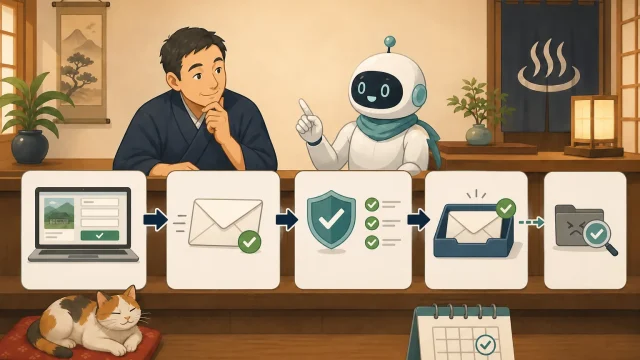
Illustration where the host and AI sequentially check the inquiry form, email sending, domain authentication, inbox, and spam email AI site management

Are you not receiving WordPress inquiry emails? Basics of sending, receiving, and authentication confirmed with AI

If you do not receive the inn's WordPress inquiry email, we will explain how to safely check form submission, email delivery, spam email, and SPF/DKIM/DMARC.
Illustration where the host and AI regularly check the top page, reservations, inquiries, and SSL from outside and receive notifications in the event of an abnormality AI site management

How to monitor your inn's WordPress from the outside | Start with AI for site/reservation/SSL monitoring

We will explain to beginners how to periodically check your inn's WordPress from the outside and quickly find out about abnormalities in display suspension, reservation lines, inquiries, and SSL deadlines.
Illustration where the host and AI look back on the timeline of WordPress failures after recovery and organize improvements to update procedures, backups, and communication systems. AI site management

Review to avoid repeating WordPress failure | Recurrence prevention report made with AI

We will look back at the WordPress failure at the inn after recovery and explain how to safely record the chronology, impact, causes, and measures to prevent recurrence with Codex/Claude Code.
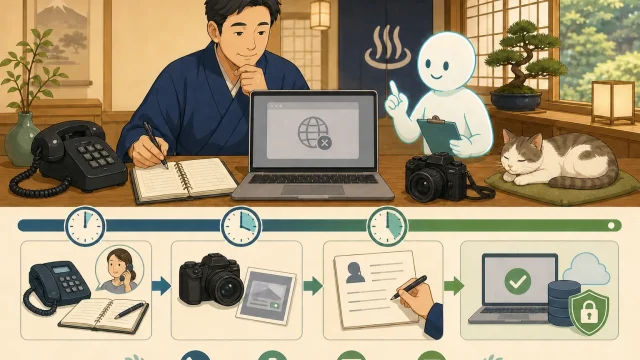
Illustration in which the host and AI sequentially confirm the reservation of telephone reservations, screen recording, communication, and recovery decision in 30 minutes after a WordPress failure occurs. AI site management

The first 30 minutes after a WordPress failure | Initial response performed by the host and AI

Explains the first 30 minutes when the inn's WordPress page is not displayed or the reservation button does not work. We will introduce alternative reservations, evidence preservation, and how to request Codex/Claude Code.
Illustration where the host and AI check the capacity, communication, storage destination, and stored generations for stopped WordPress backups AI site management

What if WordPress backup fails or stops? How to safely investigate the cause with AI

When WordPress backup fails or stops, we will explain to hosts how to safely check capacity, permissions, communication, and execution time using Codex/Claude Code.
Illustration where the host and AI restore WordPress backup to an isolated verification environment and check pages, images, and database. AI site management

Can you really restore a WordPress backup? Introduction to restoration rehearsal with AI

Explains the steps to check in a safe verification environment whether the inn's WordPress backup can really be restored. We will introduce how to apply for Codex/Claude Code and the passing criteria.
Illustration where the host and AI investigate the causes of WordPress display collapse by dividing them into three categories: themes, plugins, and cache. AI site management

How to isolate the cause of WordPress display collapse from AI | Procedures for investigating themes, plugins, and cache

We will explain to hosts how to safely isolate Codex/Claude Code from where the display corruption after WordPress update is occurring, in the theme, plugins, or cache.
Illustration where host and AI compare screens before and after WordPress update on PC, tablet, and smartphone AI site management

How to automatically compare screens before and after WordPress update using AI | Introduction to Playwright

An explanation for beginners on how to use Playwright to compare screenshots before and after updating your inn's WordPress. We will introduce how to request Codex/Claude Code, PC/smartphone confirmation, difference determination, and safety precautions.
Illustration of proceeding to the actual site after checking the computer and smartphone display in a WordPress verification environment where the host and AI are protected WordPress basics

What is the WordPress verification environment? Introduction to staging to try before production update

An explanation for beginners of the verification environment and staging for safely updating the inn's WordPress. We will introduce the differences from the real one, how to make it, precautions regarding reservations, personal information, and searches, and the confirmation procedure using AI.
Illustration where the host and AI compare the computer and smartphone display before and after WordPress update, and check backup and checklist. AI site management

What if the display breaks down after updating WordPress? How to safely repair by comparing before and after updates using AI

In order to prevent display collapse after updating WordPress itself or the theme, we will explain to hosts the steps to compare the screens before and after the update using Codex/Claude Code, isolate the cause, and determine recovery.
Illustration where the host organizes the conversation with the AI into decisions, continuation rules, work records, and handover documents. AI site management

How to record discussions with AI in the operation manual | Recording techniques to pass on the decisions of the accommodation site

For the host, we will explain how to organize conversations with Codex/Claude Code into decided matters, continuation rules, work records, and undecided matters, and safely hand them over to the next time or another person in charge.