I feel relieved when I hear that “I took a backup before updating.”But having a save file isn’t the same as being able to return to your site when you need to.
The backup is corrupted midway through, only the database is included, the PHP destination is not compatible, or the procedure or permissions are unknown. If you notice it for the first time after an accident occurs, you will have to go through trial and error on the actual website where accommodation reservations and inquiries are processed.
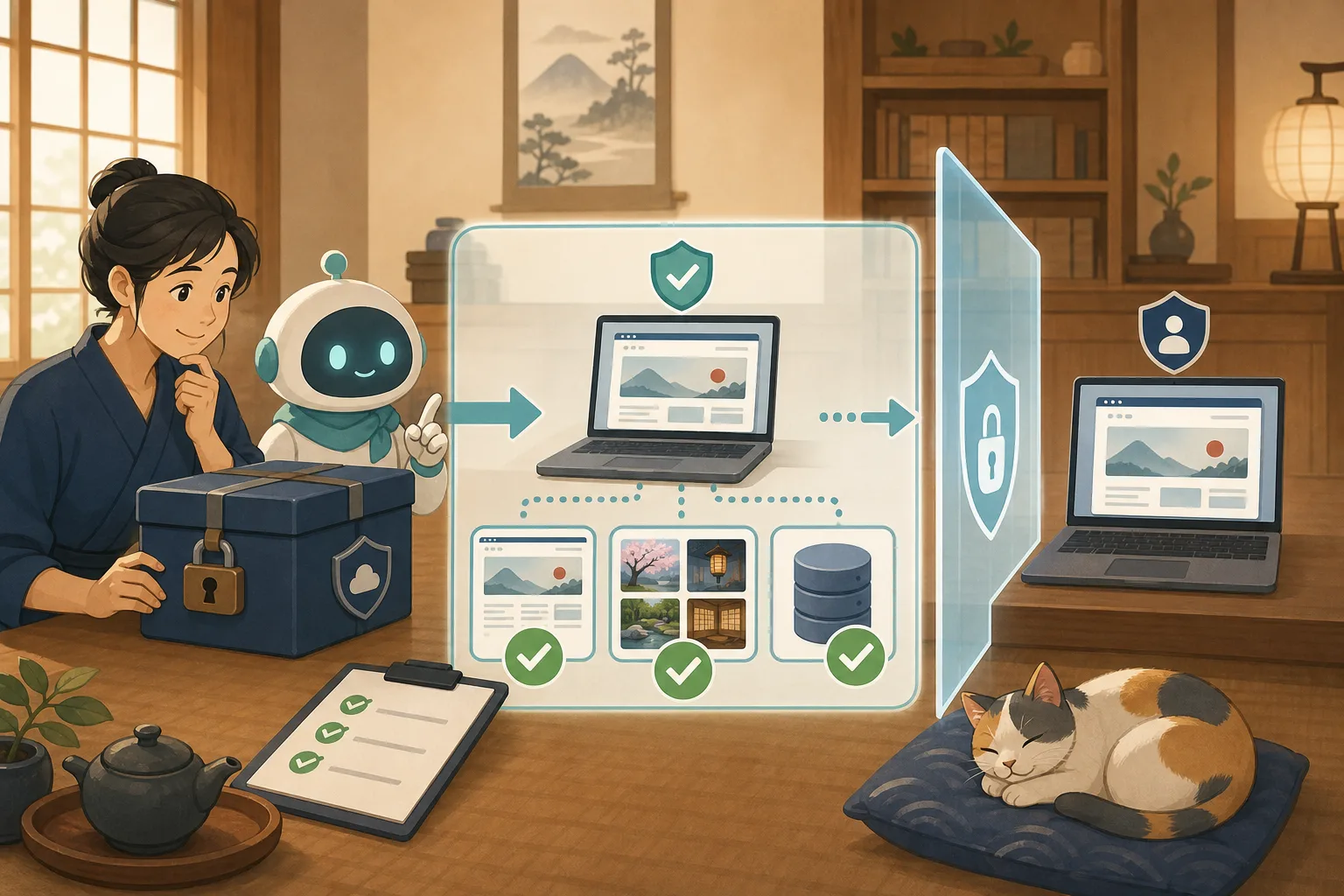
What is needed is a restoration rehearsal by returning the backup to a verification environment that is different from the production environment and confirming whether it can actually be used. This article explains how the host can safely determine pass/fail, with Codex and Claude Code helping with the checking and recording.
- Conclusion: The success condition for backup is not “It was saved” but “It was opened in another environment”
- WordPress backup requires two contents
- “Consistency confirmation” and “Restore confirmation” are different tests
- Safety conditions before starting restoration rehearsal
- Tasks that can be left to AI
- Items checked by the host
- How to choose the restoration point
- Request text to AI that can be used with copy and paste
- Criteria for passing, suspending, and failing
- How often should you try?
- Checklist for the host
- Official information referenced
- Summary
Conclusion: The success condition for backup is not “It was saved” but “It was opened in another environment”
The basic flow of restoration rehearsal is as follows.
Check the backup creation result
↓
Check if the files and database are complete
↓
Prepare a verification environment isolated from the actual production
↓
Restored by maintenance personnel
↓
AI assists mechanical confirmation
↓
Host confirms reservation, price, and inquiry
↓
Record steps, times, and problems
Do not try overwriting the actual site. Rehearsals are conducted in an isolated environment that does not disrupt production data and processing.
WordPress backup requires two contents
WordPress official documentation explains database and files separately. You cannot recreate the entire original site with one or the other alone.
| Target | Mainly included | Examples of missing items |
|---|---|---|
| Database | Articles, fixed pages, settings, users, comments, etc. | Articles and settings cannot be returned |
| Files | Themes, plugins, uploaded images, settings files, etc. | Photos and original designs are not returned |
Additionally, the following information is required for restoration:
- When was the backup taken?
- Which site/environment is it from?
- Approximate configuration of WordPress, PHP, and database
- Person responsible for restoration and contact information
- Storage location and viewing permissions
- Official information on restoration procedures or contracted services
- How to securely manage keys when encrypting
If you place your private key and password in plain text in the same location as your backup, they will be used together if they are stolen. It doesn’t paste into conversations with AI either.
“Consistency confirmation” and “Restore confirmation” are different tests
Backups have step-by-step verification.
1. Was the creation process successful?
Check to see if the backup function or script has completed successfully and if there is no communication disconnection or capacity shortage during the process.
2. Is the save file corrupted?
Use file size, compressed file inspection, checksum, etc. to check for changes or corruption after saving. A checksum is like a “fingerprint” of a file, and can be checked to see if the values match when saved and later.
3. Do you have the necessary configurations?
Check whether databases, images, themes, plugins, and necessary settings are included without inadvertently displaying the contents themselves or confidential information.
4. Does it work after restoring to another environment?
Finally, return to the isolated testing environment, open the page, enter the admin screen, and see if the images and functions work. Only after going through this step can you judge that there is a high possibility that it can be used for restoration.
Even if the consistency check is successful, it may not start due to environmental differences or missing steps. On the other hand, just because one page opens does not necessarily mean that your reservation or email is normal.
Safety conditions before starting restoration rehearsal
Check the following conditions before getting started.
- Separate server from production, validation area, or local environment
- Verification environment is not exposed to search engines
- Cannot be viewed by third parties due to Basic authentication etc.
- Does not connect to the actual reservation system or payment
- Do not send production emails
- Do not send validation access to Analytics or ad measurement
- Minimize duplicated personal information to the necessary minimum and safely dispose of it after use
- Connection destination to production database is not set
- The person in charge has confirmed that the restore will not overwrite the production.
The inn’s website may store your name, email address, inquiries, and reservation information. We will determine the extent to which personal information will be copied and the period for which it will be stored, even for verification purposes. Verify with anonymized data if possible.
Tasks that can be left to AI
Codex and Claude Code can assist with mechanical checks such as:
- List backup date and time, size, and number of generations
- Compression format and checksum inspection plan
- Create check items to check if database and files are complete
- Check the difference in connection destination between verification environment and production environment
- Check HTTP response of important URLs after restoration
- Sorting out image, CSS, and JavaScript loading failures
- Comparison of versions of WordPress, themes, and plugins
- Record of recovery time and errors
- Updated rehearsal report and next steps
However, you should not ask the AI to “restore the latest backup to production” in one sentence. Restoration is an operation that can overwrite existing data. A person approves the target, restore destination, backup date and time, functions that need to be stopped, and how to restore them.
Items checked by the host
Even if there are no technical errors, it is not possible to automatically determine whether the accommodation is correct.
Display
- Top page opens
- Guest room, rates, meals, and access are displayed.
- No missing or outdated photos
- No major breakdowns between PC and smartphone
Reservation/Contact
- The reservation button advances to the intended reservation destination
- Prices, plans, and room availability information are correct.
- Test your contact form with a secure destination
- Phone number, email, and closing information are correct.
WordPress Management
- Authorized administrator can enter the management screen
- Recent articles and fixed pages exist
- Media image opens
- Theme and required plugins are recognized.
- Administrator privileges and users are as expected.
Please check with the service you are using to find out how to perform a reservation/payment test to avoid making a real payment or taking an existing accommodation slot.
How to choose the restoration point
“Latest” is not always the best. Backups taken after a failure or tampering may also contain problems.
Store multiple generations and record:
| Record | Reasons used for judgment |
|---|---|
| Acquisition date and time | Determine whether a problem occurs before |
| WordPress/Theme/Plugin version | Check compatibility with restore destination |
| Main updates | Check which article/setting to return to |
| Automatic inspection results | See if creation/damage inspection passed |
| Restoration test date | Find out which generation was actually restored |
If you manage accommodation reservations and inquiries within WordPress, if you revert to an old backup, you may lose the data that was saved. Before restoring, decide whether you want to restore only the site display or restore the entire database.
Request text to AI that can be used with copy and paste
Audit the backup without changing it
I would like to check if my WordPress backup is usable for restoration.
Please do not restore, deploy, delete, or change the production status with this request.

About backups, without displaying confidential information or contents,
Acquisition date and time, size, file format, checksum, number of generations,
Make a plan to check the existence of your database and WordPress files.

Please separate the missing items, items that cannot be confirmed, and questions to ask the maintenance personnel.
Make a plan for restoration rehearsal
Restoring a WordPress backup to an isolated testing environment
Make a rehearsal plan. Do not run it yet.

Do not make any changes to the actual version, hide searches, stop external emails,
Separation from reservations, payments, and analytics, and minimization of personal information are the conditions.

Organized in the order of preparation, restoration, technical confirmation, host confirmation, and cleanup.
Please indicate the person in charge of each process, pass conditions, cancellation conditions, and how to undo the process.
Please do not run the command until I approve the target and destination.
Record rehearsal results
Please summarize the results of the restoration rehearsal in the operation record.

Implementation date, backup date and time used, restoration destination, required time,
Please organize successful confirmations, failed confirmations, unconfirmed items, and improvements for next time.
Do not include passwords, keys, internal connection information, or customer/reservation information in your records.
Please do not conclude that it is "recoverable", but specify the range that was confirmed this time.
Criteria for passing, suspending, and failing
Passed
- Database and necessary files are available
- Passes consistency check
- Step-by-step restore to isolated environment
- You can check important pages, images, and management screens.
- A person confirmed the inn’s reservation line and posted information.
- Restore time and personnel are recorded.
Hold
- The page opens, but I cannot safely try email or reservation linking.
- Some external services are not connected
- There are still steps that only the person in charge of restoration understands.
- The scope of confirmation was limited because it includes personal information.
Fail
- Backup is corrupted
- Missing database or images, etc.
- I don’t know the restoration procedure or decryption method
- The configuration is such that you cannot try it without connecting to the actual production.
- Restoring will affect reservations, emails, and payments.
Even if you fail, do not delete the backup immediately. Check for another generation, contact the storage service, and have maintenance personnel investigate first.
How often should you try?
Depending on how often and how important your site is, we will consider it at least next time.
- When introducing or changing the backup method
- Before changing the server or maintenance company
- Before major updates to WordPress and PHP
- After changing the reservation/inquiry function
- When the person in charge of restoration or the procedure changes
- When it was discovered during periodic inspection that the restoration test had never been performed.
Even if it is difficult to try everything every time, we use a two-step operation in which we check the creation results and consistency on a daily basis, and then restore them to the isolated environment at regular intervals.
Checklist for the host
- [ ] Stores both database and file
- [ ] You can see the save date and time and target site.
- [ ] There are multiple generations.
- [ ] There is also a safe storage location outside the server
- [ ] There is a way to check the integrity
- [ ] Find the person in charge of restoration and their contact information
- [ ] There is a restore destination different from the actual one
- [ ] Separate reservations, payments, and emails
- [ ] Decided on the URL and functions that the host checks
- [ ] Recorded recovery time, failures, and improvements.
If you want to check the basics of backup, please read Backup and restore before WordPress update first. The concept of the restoration destination is explained in Introduction to WordPress verification environment, and the problem investigation after update is explained in Separating themes, plugins, and caches.
Official information referenced
- WordPress official: Backup overview
- WordPress official: Database backup and restore
- WordPress official: WordPress update
- WordPress official: Security enhancement and backup
Summary
Just because a file exists does not provide peace of mind in an emergency. We will continue testing until the database and files are complete, uncorrupted, we can return to the isolated environment, and we can confirm the important functions of the inn.
AI is suitable for organizing inspection items, differences, errors, and records. On the other hand, people are responsible for approving the restoration destination, handling personal information, correctness of reservations and fees, and deciding to return to production. By rehearsing once during normal times, you can reduce the amount of time spent wondering “who should return what, and to what extent” in the event of a disaster.