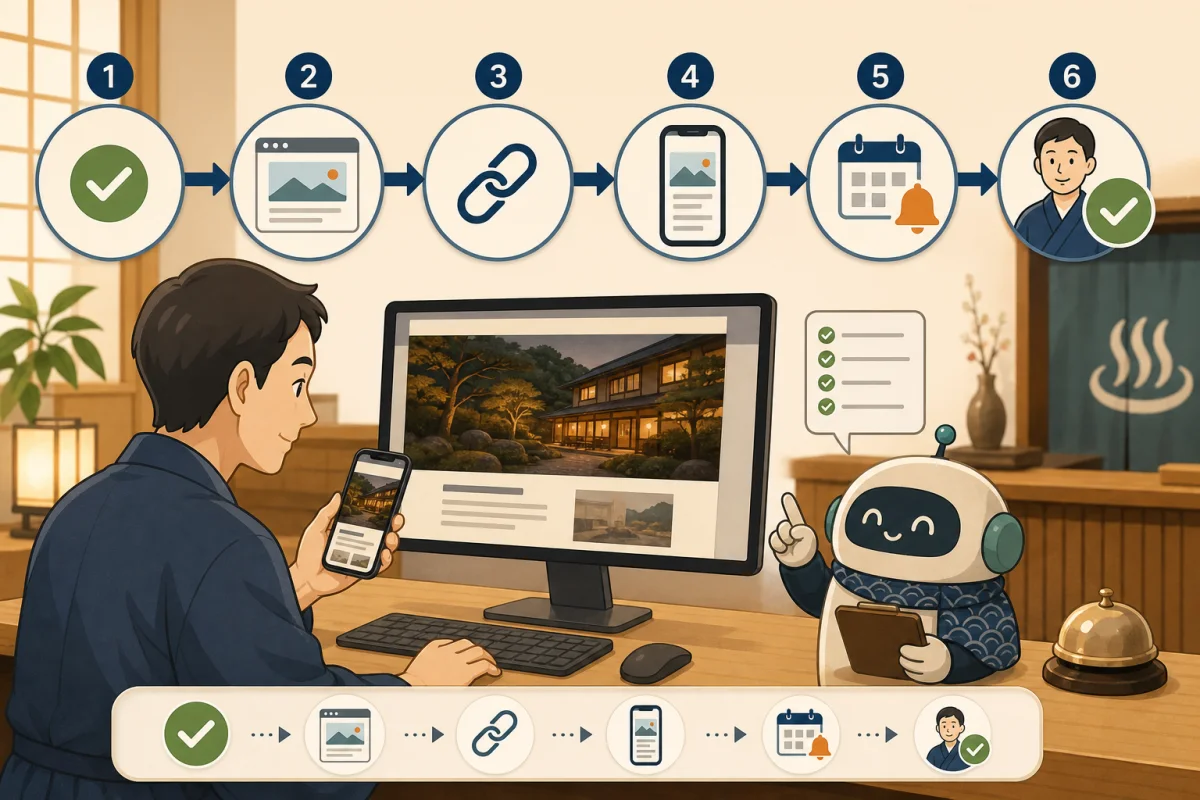
When looking at an inn’s official website, it is important to know exactly whether it is an inn you can stay at today, how much it will cost, and how to make a reservation, beyond looking at the luxurious design.
If there are old rates, ended transfers, unconfirmed resident cats, or unusable reservation links, guests will be confused before making a reservation, and the inn will have to make more confirmation calls and make corrections. In this article, we will organize the information that small inns want to prioritize and update in their limited time.
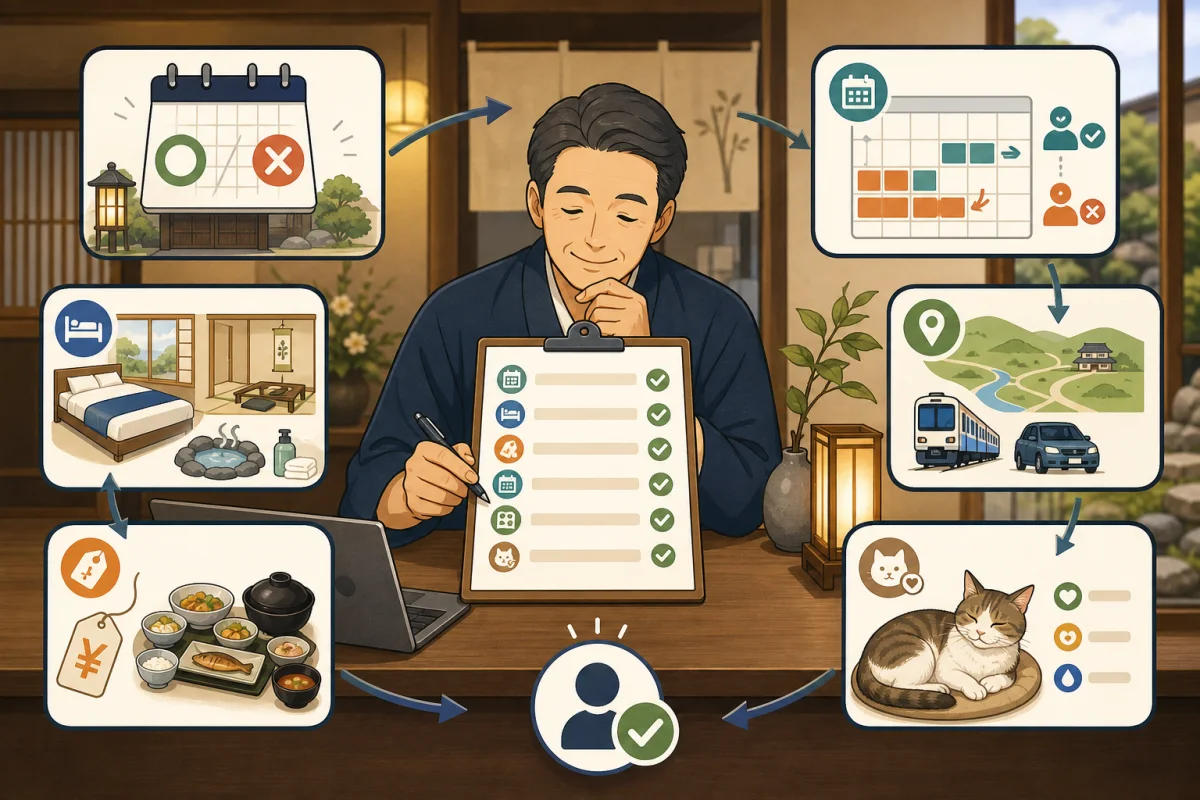
- Conclusion: The first thing to protect is eight pieces of information.
- Divide update priority into three levels
- 1. Business/Closed/Reservation Status
- 2. Guest room, capacity, facilities
- 3. Fees, meals, and additional costs
- 4. How to make a reservation and where to check availability
- 5. Cancellation, Changes, and Payment Terms
- 6. Location, transportation, parking, and shuttle
- 7. Phone, inquiries, reception hours
- 8. Resident cat presence and contact conditions
- Determine the “original” for each piece of information
- Decide who updates and when
- Prepare the entrance before adding more pages
- Initial inspection in 30 minutes
- Prompt to ask AI for inspection
- Summary
- Reference materials
Conclusion: The first thing to protect is eight pieces of information.
There’s no need to recreate all pages at once. First, match the following eight points with your current sales.
- Business hours, closed status, and reservation acceptance status
- Guest rooms, capacity, and facilities
- Fees, meals, and additional costs
- How to make a reservation and where to check availability
- Cancellation/Change/Payment Terms
- Location, transport, parking, and pickup services
- Telephone, inquiries, reception hours
- Resident cat presence and contact conditions
These eight information are not “text for search ranking”, but are information that will help guests decide whether to make a reservation and arrive without hesitation on the day of their stay.
Divide update priority into three levels
| Priority | Example | Update guideline |
|---|---|---|
| Emergency | Closed, reservations suspended, incorrect fares, reservation link to another facility, road closure | Updated as soon as information is known |
| High | Business days, meals, check-in, transportation, cat rest | Updated before application starts |
| Regular | Photos, surrounding information, introductions, FAQ | Updated with monthly inspections |
Emergency information is not only written in regular notification articles, but also displayed in places that users always visit, such as the top page, reservation entrance, and relevant pages. After the issue is resolved, the old warning will be deleted and the normal guidance will be returned.
1. Business/Closed/Reservation Status
First, clarify whether the business is currently open.
- Normal business, seasonal business, or closed.
- Regular holidays and temporary closing days
- Whether or not new reservations can be accepted
- Restrictions due to renovation, charter, disaster, equipment failure
- Up to what length of stay do you accept reservations?
- If the reopening schedule is undecided, please write “Undecided”
Add the publication date or confirmation date to expressions such as “for the time being” and “for a while.”I will not guess and write the reopening date, but will update it once it is decided.
2. Guest room, capacity, facilities
Before making a reservation, you can decide which room and how many people will stay in it.
- Guest room type and number of rooms
- Capacity including adults and children
- Composition of bedding such as beds, futons, Japanese-style rooms, etc.
- Bath/toilet in guest room or shared
- Air conditioning, Wi-Fi, non-smoking/smoking
- Amenities and paid/free classification
- Movement conditions such as stairs, steps, elevators, etc.
- Whether or not pets are allowed and applicable guest rooms
If the photo shows the previous equipment, we will replace it. If you don’t have photos of the renovation yet, don’t keep showing old photos as the latest, explain the changes in text.
When it comes to barrier-free facilities, we don’t just say that they are compatible, but give priority to specific information that guests can judge for themselves, such as steps at entrances, width of aisles, and location of guest rooms and bathrooms. If you require individual treatment, we will also show you where to contact us before making your reservation.
3. Fees, meals, and additional costs
Prices are not only numbers, but also applicable conditions.
- Is it per room or per person?
- Tax included/excluding tax
- Per night or for the entire stay?
- Classification of meals included/no meals
- Differences between weekdays, days before holidays, and busy seasons
- Classification of adults, children, and co-sleeping
- Bathing tax, accommodation tax, cleaning fee, pet fee, etc.
- Fees that may be added locally
- Last place to check if prices change
When writing a fixed price on the official website text, it is necessary to have an operation that can be corrected at the same time as the price is changed on the reservation system side. If linking is not possible, it is safer to tell the user to “check the latest prices on the reservation screen” and not leave the old price list.
Regarding meals, write down the scope of what can actually be accommodated, such as serving time, venue, allergy consultation deadline, whether or not you can bring your own food, and whether meals can be served in your room. Please do not make broad promises that “it will definitely be possible,” but indicate the conditions that require individual confirmation.
4. How to make a reservation and where to check availability
By putting the reservation entrance on one page, guests will be less likely to get lost.
- Official reservation system
- Telephone reservation
- Email/Inquiry form
- OTA you are using
- Reservation reception hours
- Possibility of same-day reservations?
- Conditions for reservation establishment
We will clarify whether the reservation will be established just by sending an inquiry or by a reply from the inn. If you receive an automatic reply but the reservation is not confirmed, a message to that effect will be displayed near the form.
If you do not understand the role of the reservation system, please check Differences between reservation engine, site controller, and PMS first.
5. Cancellation, Changes, and Payment Terms
There is no verbal explanation when booking online, so it is important that you can check the requirements before applying. The Japan Tourism Agency also advises users of travel reservation sites to check information such as travel fees, cancellation fees, contract partners, and contact information.
- Date, percentage and amount of cancellation fee
- Treatment of no-shows
- How to change dates, number of people, and meals
- Handling in times of typhoons, suspensions, and disasters
- Payment methods such as on-site payment and advance payment
- Refund method and estimated time until refund
- Different conditions for each route booked
- Contact information and reception hours
If the terms and conditions differ between the official website, reservation screen, and OTA, we will clearly indicate which terms apply to which reservation. We will also search related pages to avoid leaving outdated cancellation policies in PDFs and FAQs.
How to deal with cancellations, refunds, and no-shows explains the procedure for updating reservations, inventory, and payment at the same time.
6. Location, transportation, parking, and shuttle
If you just post your address, you may not be able to arrive in mountainous areas or areas with little public transportation.
- Postal code and official address
- Map and entrance location
- Route from nearest station/bus stop
- Landmarks when coming by car
- Number of parking spaces, reservations, vehicle restrictions, and fees
- Transfer section, time, reservation deadline
- Winter tires, road closures, seasonal suspensions, etc.
- Contact information if checking in after the last check-in time
Open it and check if the point on the map service points to your office, back door, or annex. As shuttle and route bus times are subject to change, we use fixed times and links to official timetables.
7. Phone, inquiries, reception hours
Check to see if the guest can contact you right away.
- Phone number
- Telephone reception hours and holidays
- Inquiry form
- Estimated response time
- Same-day/emergency contact method
- Dedicated counter for reservation changes and cancellations
When disclosing a personal mobile number, the inn will decide on the range of publication and measures to take against nuisance calls. If you post the email address only as an image, it will be difficult to copy or read out loud, so we will also provide a way to manage it, such as an inquiry form.
Please also check that the phone number and address in Google Search and Google Maps match the official website. Google says you can edit address, contact information, industry, photo, etc. from your verified business profile.
8. Resident cat presence and contact conditions
At Neko Yado, in addition to general accommodation information, we carefully handle current information about cats.
- Cats currently living at the inn
- Main place to spend time
- Times and locations where guests may meet
- Do you ever come to the guest room?
- Rules for holding, snacking, taking photos, etc.
- Possibility of not being able to meet due to rest, hospital visits, or retirement
- Information for people who are allergic to cats or don’t like them
- Distinguishing between cats/pets accompanying guests and resident cats
Do not write “I will definitely meet you” or “I will definitely come to the guest room.”Prioritizing the cat’s physical condition, mood, and lifestyle, we will let you know before making a reservation that you may not be able to meet us.
When a cat takes a break or retires, we not only silently delete the information, but also inform you of the current status and update date of the article to the extent necessary. For travelers, this is also explained in Why Nekoyado information is easily outdated.
Determine the “original” for each piece of information
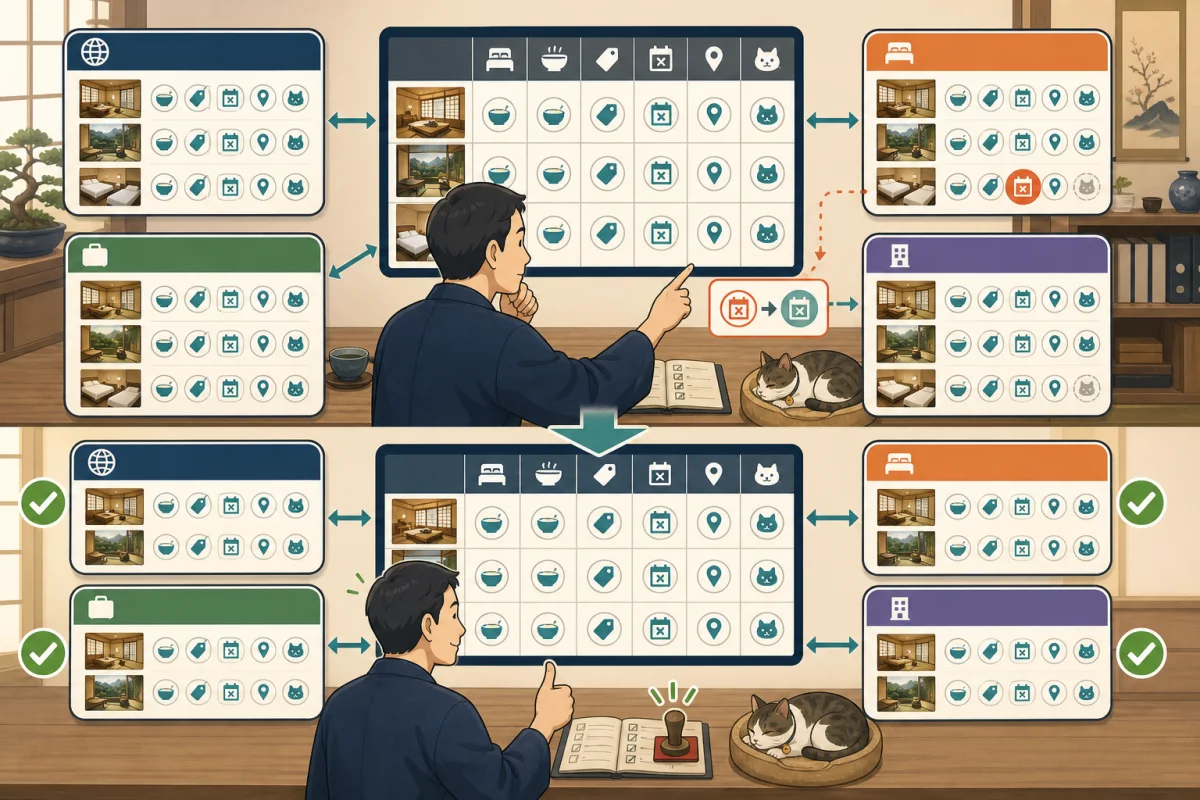
If the same information is distributed across official websites, reservation systems, OTAs, Google Maps, SNS, and paper brochures, corrections may not be made.
| Information | Example of original copy | Main publication locations |
|---|---|---|
| Availability, rates, plans | Reservation system or PMS | Official reservation, OTA |
| Opening/Closing | Inn Business Calendar | Top, Reservations, SNS |
| guest room/equipment | facility ledger | official website, OTA |
| Transportation/Transfer | Access ledger | Official website, reservation email |
| resident cat | Cat enrollment/health confirmation form | Official website, SNS |
| Contact information | Business information ledger | All media |
Decide on one place to fix first as the original, and from there reflect it on other places. The original version is not necessarily WordPress. Choose a location that suits the person in charge of information, such as using the reservation system for availability and prices, or checking the cat’s health on the inn’s checklist.
Decide who updates and when
If you assign only “someone who knows” to update, updates will stop on the day that person takes a day off. Decide who will be in charge and who will check each item.
| Trigger | Content to update | Example of deadline |
|---|---|---|
| Closing/equipment breakdown | Top, reservations, contact information | Immediate |
| Price/plan changes | Reservation screen, prices, FAQ | Before sales start |
| Transfer/transportation changes | Access, reservation email | Before application starts |
| Cat rest/retirement | Cat introduction, reservation information, SNS | Immediately after guidance policy is decided |
| Regular inspection | Links, photos, contact information | Once a month |
| Overall inventory | guest room, terms, and media | By season |
After updating, check not only the changed pages, but also the top page, reservation entrance, related FAQs, and smartphone display. You can use the checklist of How to check after WordPress publication.
Prepare the entrance before adding more pages
At the very least, make it possible to access the next page from the top or menu.
- guest room・inside the inn facilities
- Prices and accommodation plans
- Meal
- Access/Parking/Transfer
- How to make a reservation
- Cancellation/Frequently Asked Questions
- How to spend time with resident cat
- Inquiry
Rather than adding multiple similar announcements, update the main page with current information and link to it from short announcements if necessary.
Google provides unique titles and descriptions for each page, and provides guidance on how to manage business information such as address and contact information on your website and business profile. Although the description does not always appear in search results, it provides an accurate summary of the page content.
Initial inspection in 30 minutes
10 minutes: Information directly related to reservations
- [ ] Business/Closed/Reservation status matches current status
- [ ] Proceed to the correct reservation page
- [ ] Understand the conditions of fees, meals, and additional charges.
- [ ] How to cancel/change can be reached before booking
10 minutes: Information necessary for the day’s actions
- [ ] Address and map location are correct.
- [ ] Parking, pick-up, and transportation information matches the current information.
- [ ] Phone number and reception hours are correct.
- [ ] Description of guest room, capacity, and facilities match the actual product.
10 minutes: Check the cat inn and public screen
- [ ] The resident cat’s presence, rest, and interaction range match the current information.
- [ ] The expression does not guarantee an encounter with a cat.
- [ ] You can read the main pages on PC and smartphone
- [ ] Recorded update date, confirmer, and unconfirmed items.
Prompt to ask AI for inspection
Please create a checklist of public information regarding the official website of the accommodation facility.
Please only read and report this time, and do not change the site or reservation information.

Target URL: [URL]
Information confirmed as correct by the inn: [Business days, address, phone number, etc.]

Please organize the following with page URL and rationale.
1. Business/Closed/Reservation Status
2. Guest room, capacity, facilities
3. Fees, meals, and additional costs
4. Reservation method and reservation conditions
5. Cancellations, Changes, Payments, and Refunds
6. Address, map, parking, transportation
7. Telephone calls, inquiries, and reception hours
8. Resident cat presence, place to meet, and contact conditions

If the same item appears on multiple pages, please indicate both.
Don't make assumptions about the current information, and separate it into "matched," "unmatched," and "unconfirmed."
Please do not make reservations, inquiries, phone calls, or make payments.
Finally, please indicate the priority of urgent, high, and normal, and the items that people should check.
AI can look for inconsistencies within the site, but it is the inn that knows the actual business conditions, facilities, and the cat’s health status. A person must always determine the correct information before making corrections.
Summary
The first eight items you need to update on your accommodation site are sales, guest room, rates, reservation conditions, cancellation, access, contact information, and resident cat.
Decide the original copy, person in charge, and reason for updating each piece of information, and start with urgent information. Rather than increasing the number of pages, prioritize ensuring that the official website, reservation screen, and on-site information are consistent.
The next step will be to prevent the issue of old instructions remaining on OTAs even after the official website is fixed. Please check the media list, original ledger, 12 item verification, and update order in How to match OTA and official website instructions.
The time allocation and recording template for continuing this check every month is summarized in Monthly Inspection Checklist for Accommodation Sites.
Reference materials
- Tourism Agency: Things to check when using the travel reservation site
- Tourism Agency: IT Utilization Handbook for Accommodations
- Japan Tourism Agency: Promotion of universal tourism
- Google Search Central: Convey business information to Google
- Google Search Central:meta description
Note: Required legal responses regarding accommodation terms and conditions, price display, taxes, personal information, barrier-free information, etc. vary depending on the facility type and region. Please check with the competent administrative agency or expert.