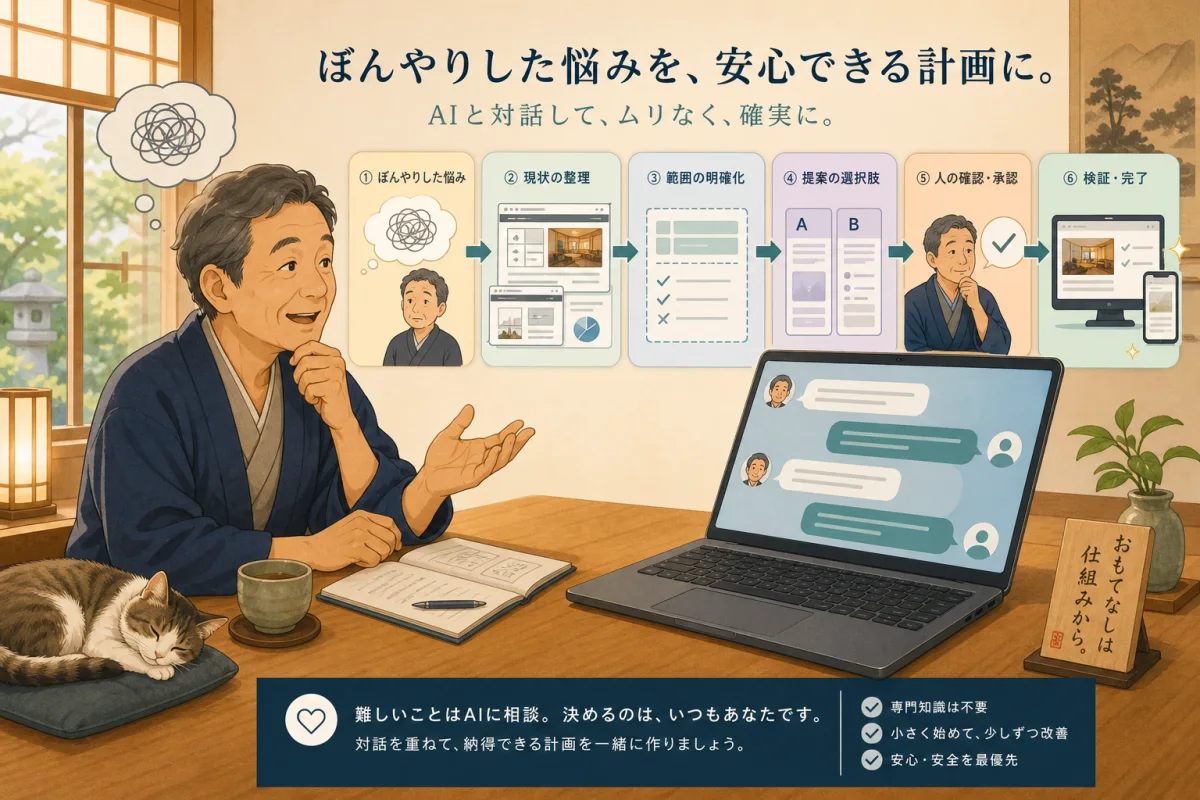
For the host who says, “I don’t know what to ask the AI,” I have summarized 10 types of request sentences that are easy to use when using WordPress. You can use it with both Codex and Claude Code by rewriting only the part inside the square brackets to suit your situation.
However, the prompt is not a safety device per se. It is also necessary to separately prepare permissions for AI to operate, approval settings, backups, and execution routes. It is important to try it out in a practice folder first and not ask for consultation, research, drafts, and production implementation all at once.
- How to use it you should know first
- 1.Discuss what needs to be improved first
- 2.Explore servers and management methods
- 3.Find old information on existing pages
- 4.Create an article structure proposal from official information
- 5.Create a draft of the article with Markdown
- 6.Check SEO and readability
- 7.Create a safety plan before updating
- 8.Publish only one approved manuscript
- 9.Check the public page on PC and smartphone
- 10.Deciding next month’s work from monthly inspections
- Additional words when it is difficult to answer
- Information that will not be written even if copied and pasted
- Summary
- Reference materials
How to use it you should know first
- Replace
[ ]with your own information - Write “unknown” for items you do not understand.
- Do not post passwords, private keys, API keys, or reservation information.
- Stop at “just research” and “just drafts” at first.
- Read the AI report and ask for the next step after the human approves it.
If you have not opened the site folder yet, please start with Introduction to VS Code, and if you are not sure what to consult, please start with Introduction to Codex/Claude Code Consultation.
1.Discuss what needs to be improved first
Use when you don’t know the problem or priorities. Do not make any changes at this stage.
I would like to consult about the WordPress site of the inn.
Purpose: [I want to reduce anxiety before making a reservation/I want to correct outdated information/I want to be found through search]
Problem: [As far as I can understand. It may be unknown]
Site URL: [Public URL]

Check the current status just by reading and ask up to 5 questions about what you want to know first.
If you use technical terms, please explain by replacing them with the work at the inn.
Please only consult and investigate this time, and do not make any changes to files, WordPress, servers, or external services.
2.Explore servers and management methods
Used when the contract party or scope of management is ambiguous. When sharing contract materials, hide personal and payment information.
Please sort out who is managing this WordPress and to what extent.
Public URL: [URL]
Known contractors: [server companies, WordPress.com, production companies, etc. If unknown, unknown]
Materials on hand: [Contract name and management screen name that hide personal information]

Please indicate whether it is closer to shared rental server, managed WordPress, VPS/cloud, and provide evidence.
List the administrators of WordPress, server, domain, email, and backups.
Please do not log in or change settings, and separate unknown items from where to check.
You can also check the differences in the methods in Differences between rental servers and VPS.
3.Find old information on existing pages
Before changing prices, business days, guest room, meals, access, resident cat, etc., identify the location to be fixed.
Due to changes in the information about the inn, please investigate where old information remains.
Facts to change: [New content]
Old expression: [Fill in if you know]
Target site: [URL or work folder]

Please search for the relevant part from public pages, existing manuscripts, menus, and internal links.
For each candidate, please list the URL or file, relevant location, reason for modification, and facts that require confirmation.
Please separate confirmation options from outside the site, such as OTA, reservation screen, and SNS.
Please only read this time and do not change the text or settings.
4.Create an article structure proposal from official information
Don’t start writing the main text all of a sudden, check the reader’s questions, necessary evidence, and any overlap with existing articles.
Please create a structure for an article to be published on the inn's official website using the following theme.
Theme: [Article theme]
Intended audience: [People staying for the first time/Those considering staying multiple nights, etc.]
Question you want to answer: [Question]
Official documents that can be used for confirmation: [URL or document name]

Please check for duplication with existing articles, and indicate the purpose of the searcher, tentative title, heading, necessary rationale for each heading, and internal link candidates.
Please do not make assumptions about content that cannot be confirmed in official documents and mark it as “Confirmation required.”
Please do not create text, obtain images, register on WordPress, or publish it yet.
5.Create a draft of the article with Markdown
After a person confirms the draft structure and facts, only the manuscript is created in the work folder.
Please create one Markdown draft of a WordPress article using only the approved composition plan and verified materials.
Theme: [Theme]
Save destination: [In the working folder. If unknown, suggest candidates]
Required fields: title, slug, description, heading, internal link, reference material
Writing style: [Adapts to existing articles/Friendly, respectful style, etc.]

Please do not write about experiences that you have not experienced, and please include the confirmation date and official confirmation address for pricing and business information.
Please do not fill in unconfirmed information, do not overwrite existing files, and do not register or publish on production WordPress.
After completion, please report any lack of evidence, duplication, or areas that need to be checked by someone before publication.
6.Check SEO and readability
Rather than filling in search terms, check to see if you are answering the reader’s questions.
Please check the following article without making any changes.
Target: [Public URL or manuscript file]
Main reader: [Expected reader]
What readers want to know: [Questions before searching and booking]

Check title and description, opening conclusion, heading structure, unsubstantiated assertions, outdated information, internal links, lead lines, and image alt text and sources.
Please list the problem, reason, improvement suggestion, and priority.
This time, please only make a diagnosis and do not change the text, SEO settings, links, or images.
7.Create a safety plan before updating
Use this before making changes that are difficult to understand, such as themes, plugins, PHP, etc.
Create a safe work plan for your next WordPress update.
Purpose: [Updated content]
Target: [Articles, themes, plugins, PHP, etc.]
Current known status: [Unknown if unknown]
Functions that should not be stopped: Reservations, inquiries, phone calls, maps, emails

Please indicate what will be changed and what will not be changed, necessary backups, restoration methods, advance confirmation, execution order, stop conditions, and post-publication confirmation.
Please also check the impact on reservations, inquiries, and external collaborations.
Please do not back up, update, log in, restart, or delete anything yet and wait for my approval.
Updates are explained in detail in Introduction to WordPress Updates, and restore points are explained in detail in Backup and Restore.
8.Publish only one approved manuscript
Use only after someone has checked the manuscript, images, and classification, and has explicitly approved the production version.
Please reflect only one approved WordPress article to production.
Manuscript: [File name]
slug:[slug]
Publication status: [Draft/Published]
What can be changed: 1 manuscript, specified image, specified internal link
What should not be changed: Other articles, themes, plugins, servers, reservation/customer/payment data

Please take the latest backup and confirm successful completion and consistency before making any changes.
Check the same slug, author, category, description, and eye catch.
If backup or preliminary confirmation fails, please stop publishing.
Once completed, please report the post ID, URL, and what changed or didn't change.
Please refer to WP-CLI Draft Registration and Restricted Wrapper for a mechanism that handles only one item.
9.Check the public page on PC and smartphone
Check the results the reader sees, not the success of the command.
Inspect the following published pages without making any changes.
Target URL: [URL]
Current changes: [Article publication, text correction, link changes, etc.]

Check HTTP responses, forwarding, title, description, canonical, robots, headings, images, and internal links.
Check text, tables, images, buttons, and menus based on PC width and smartphone width.
For reservations, inquiries, phone calls, and maps, please check at the entrance without sending, calling, or making payments.
Please separate unconfirmed items and items that need to be confirmed by a person on the actual device.
Please do not modify posts, files, settings, or caches.
The detailed order is summarized in 15-minute inspection after WordPress publication.
10.Deciding next month’s work from monthly inspections
Check the summary of site information, WordPress, Search Console, and Analytics once a month.
Please help with the monthly inspection of the accommodation site.
Target month: [year/month]
Public site: [URL]
This month's changes: [Articles, prices, business days, reservation system, etc.]
Shared materials: [Search Console/Analytics tally excluding personal information, etc.]

Please separate business information, reservation flow, smartphone display, links, WordPress updates, backups, and search status into check items.
Categorize your problems into "now," "this month," and "follow-up" and narrow down your work to a maximum of three for next month.
For numbers, please specify the period and comparison target, and separate the hypothesis from the confirmation method without making a definitive determination of the cause.
Please do not request customer information, just check and make suggestions this time.
Monthly Inspection Checklist, Introduction to Search Console, and Introduction to Google Analytics 4 can be used together.
Additional words when it is difficult to answer
It's difficult to explain, so please reduce the technical terms and explain each operation I'll do next, numbered.
For words you don't understand, please provide a short explanation by replacing them with inn jobs.
If your suggestions are too broad, say, “This time, please narrow it down to [target] and leave the rest unchanged and divide it into future candidates.”
Information that will not be written even if copied and pasted
- WordPress, server, reservation management, payment passwords
- SSH private key, API key, recovery code
- Guest’s name, email, phone number, reservation number
- Card information, personal information of person eligible for refund
- Server connection information that does not need to be made public
When discussing errors, hide secret values and personal information, and only share the time of occurrence, the actions you performed, and the general error message.
Summary
A good prompt is not a long text, but a request where the purpose, target, scope of changes, stopping point, and completion conditions are clear. Divide it into investigation, local draft, single reflection after approval, and confirmation of the public screen.
How to check the URL and basis shown by AI before publishing it is explained in detail in Techniques to check primary information without taking AI’s answers at face value.
If you want to follow the rules repeatedly, move them to AGENTS.md or CLAUDE.md instead of the request text each time. You can check the introduction and free templates from Safety rules for AI site management.
How to divide the content decided in the conversation into policies, continuation rules, and work records is explained in How to record discussions with AI in an operation manual.
Reference materials
- OpenAI official: How to instruct Codex with AGENTS.md
- OpenAI official: Agent approvals & security
- Anthropic official: Claude Code’s memory and CLAUDE.md
- Anthropic official: Claude Code Security
Note: Screens and permission settings for each product may vary. When using the service, please also check the official documents and the current procedures for the contracted service.